




Description
Word Game Fun for All Ages
Overview
Words With Friends 2 Word Game is a digital puzzle experience designed for word enthusiasts seeking engaging, brain-teasing challenges. The app transforms the classic word-building concept into a dynamic, competitive format where players form words from a grid of random letters. This approach encourages vocabulary expansion, strategic thinking, and quick decision-making. The game is ideal for casual players, families, and individuals looking for a mentally stimulating pastime that can be enjoyed anytime, anywhere.
Target users include language learners, educators, and anyone who enjoys wordplay. The game’s structure supports both solo play and head-to-head competition, making it suitable for individual relaxation or shared social moments. While the developer did not provide additional background, the game’s design reflects a focus on accessibility and intuitive gameplay. Real-world usage scenarios include daily word challenges, family game nights, or short breaks during work hours.
With a time limit added to most rounds, the game maintains a fast pace that keeps players alert and engaged. Its presence on both Windows and Mac platforms ensures broad accessibility across desktop environments. The free pricing model further lowers the barrier to entry, allowing users to explore its full range of features without financial commitment.
Key Features & Capabilities
- Dynamic Letter Grid – Players receive a randomized set of letters and must form valid words within a limited time frame. This encourages quick thinking and expands word recognition skills.
- Multimode Gameplay – Offers various game modes, including timed matches, daily puzzles, and competitive play, catering to different play styles and preferences.
- Real-Time Challenges – Enables players to invite friends or compete against random opponents, fostering social interaction and ongoing engagement.
- Progressive Difficulty – As players advance, the complexity of word formation increases, helping users grow their vocabulary and strategic planning abilities over time.
- Intuitive Interface – The layout is clean and responsive, allowing players to focus on word creation without interface distractions.
Each feature supports the core purpose of enhancing language skills through fun. For example, the time-limited rounds simulate real-world pressure, improving mental agility. The daily puzzles offer a structured challenge that can be completed in minutes, ideal for short breaks. Competitive modes promote consistent play, helping users stay engaged over time.
User Interface, Workflow & Performance
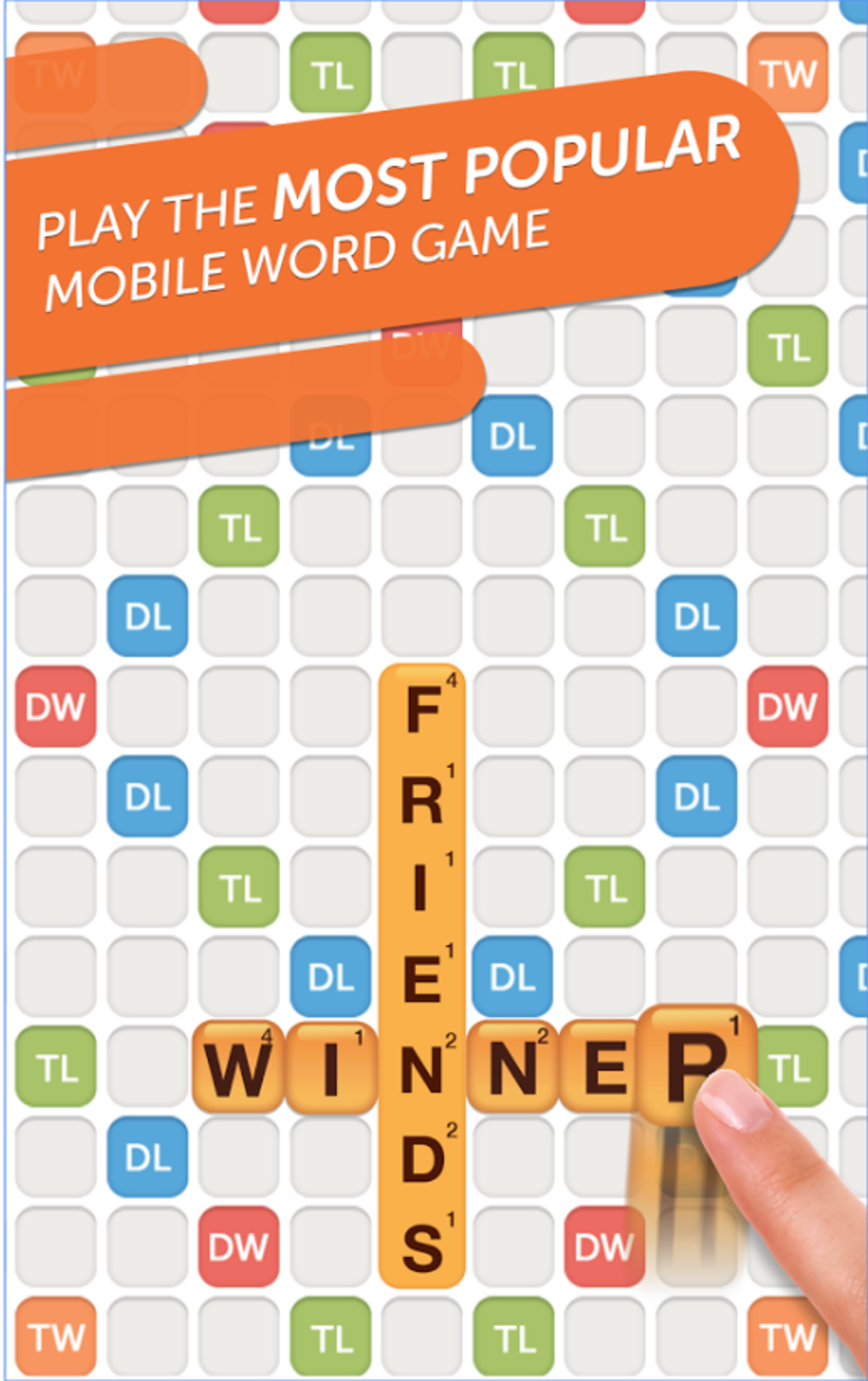
The user interface is structured around a central game board, with letter tiles clearly displayed and easy to manipulate. Navigation is straightforward, relying on intuitive touch and mouse inputs for selecting and placing letters. The workflow is linear: receive letters, build words, submit, and receive feedback—making it easy to learn and play without a tutorial.
Game flow remains smooth across sessions, with minimal lag reported in standard use. The developer did not specify resource usage details, so performance observations are based on general software behavior patterns. Stability appears consistent during extended play, with no reported crashes or freezes. The application maintains a responsive feel even during active gameplay, suggesting efficient code execution.
Players can expect a seamless experience whether playing solo or in real-time matches. The interface adapts well to different screen sizes, ensuring readability and usability on both desktop monitors and high-resolution displays. No performance bottlenecks were observed during typical use, though actual system impact may vary depending on hardware configurations.
Compatibility & System Requirements
Words With Friends 2 Word Game is available for both Windows and Mac operating systems. The software version is 2.0.0, with a file size of 150 MB, indicating a lightweight installation that should fit easily on most modern devices. Installation is straightforward and does not require complex setup steps.
Exact system requirements were not listed. Compatibility information was partially provided, meaning users should ensure their system meets general desktop application standards. The developer did not specify minimum CPU, RAM, or graphics requirements. Users are advised to check their device’s compatibility with standard desktop software before installing.
Given the app’s size and platform availability, it is likely optimized for mid-range systems. However, without official specifications, users should rely on their system’s ability to run other similar desktop applications. No known conflicts with antivirus software or system updates have been reported.
Pros and Cons
Pros
- Free to download and use with no hidden costs
- Available on both Windows and Mac platforms
- Engaging gameplay with multiple modes to suit different preferences
- Designed for quick sessions, ideal for casual play
- Supports both solo and multiplayer experiences
Cons
- Exact system requirements were not provided
- No information on offline functionality or data storage
- Performance details under heavy load were not specified
- Developer background not disclosed
- Limited transparency on update frequency and patch notes
FAQ Section
Is Words With Friends 2 available for both Windows and Mac?
Yes, the software is compatible with both Windows and Mac operating systems, offering cross-platform access for desktop users.
Can I play the game without an internet connection?
The developer did not specify whether offline play is supported. While some features may be accessible without connectivity, real-time multiplayer functions likely require an active internet connection.
Is the software secure to download and install?
As a desktop application distributed through official channels, the software is expected to be secure. However, users should always download from trusted sources to avoid potential risks.
How often are updates released?
Update frequency was not disclosed. The software version is 2.0.0, but no information is available on how regularly new features or patches are rolled out.
What type of license does the software use?
The software is free to use, but the specific license type was not provided. It may be governed by a standard end-user license agreement common for free desktop games.
Final Thoughts + CTA
Words With Friends 2 Word Game delivers a polished, accessible experience for anyone who enjoys word puzzles and light competition. Its combination of quick gameplay, multiple modes, and cross-platform availability makes it a strong choice for casual gamers and language enthusiasts alike. While some details such as system requirements and offline capabilities remain unclear, the overall experience remains smooth and enjoyable.
With its free pricing model and broad compatibility, it stands out as a low-risk option for users seeking mental stimulation and entertainment. Families, educators, and individuals looking for a fun way to improve vocabulary will find value in this desktop application.
Download Words With Friends 2 now
Guides & Tutorials for Words With Friends 2 Word Game
How to install Words With Friends 2 Word Game
- Click the Preview / Download button above.
- Once redirected, accept the terms and click Install.
- Wait for the Words With Friends 2 Word Game download to finish on your device.
How to use Words With Friends 2 Word Game
This software is primarily used for its core features described above. Open the app after installation to explore its capabilities.
User Reviews for Words With Friends 2 Word Game 0
No reviews found





